Prowl
Your terminal wasn't built for agents. Until now.
A native macOS command center for running AI coding agents in parallel.
Download
·
Website
·
brew install --cask onevcat/tap/prowl
Why Prowl?#
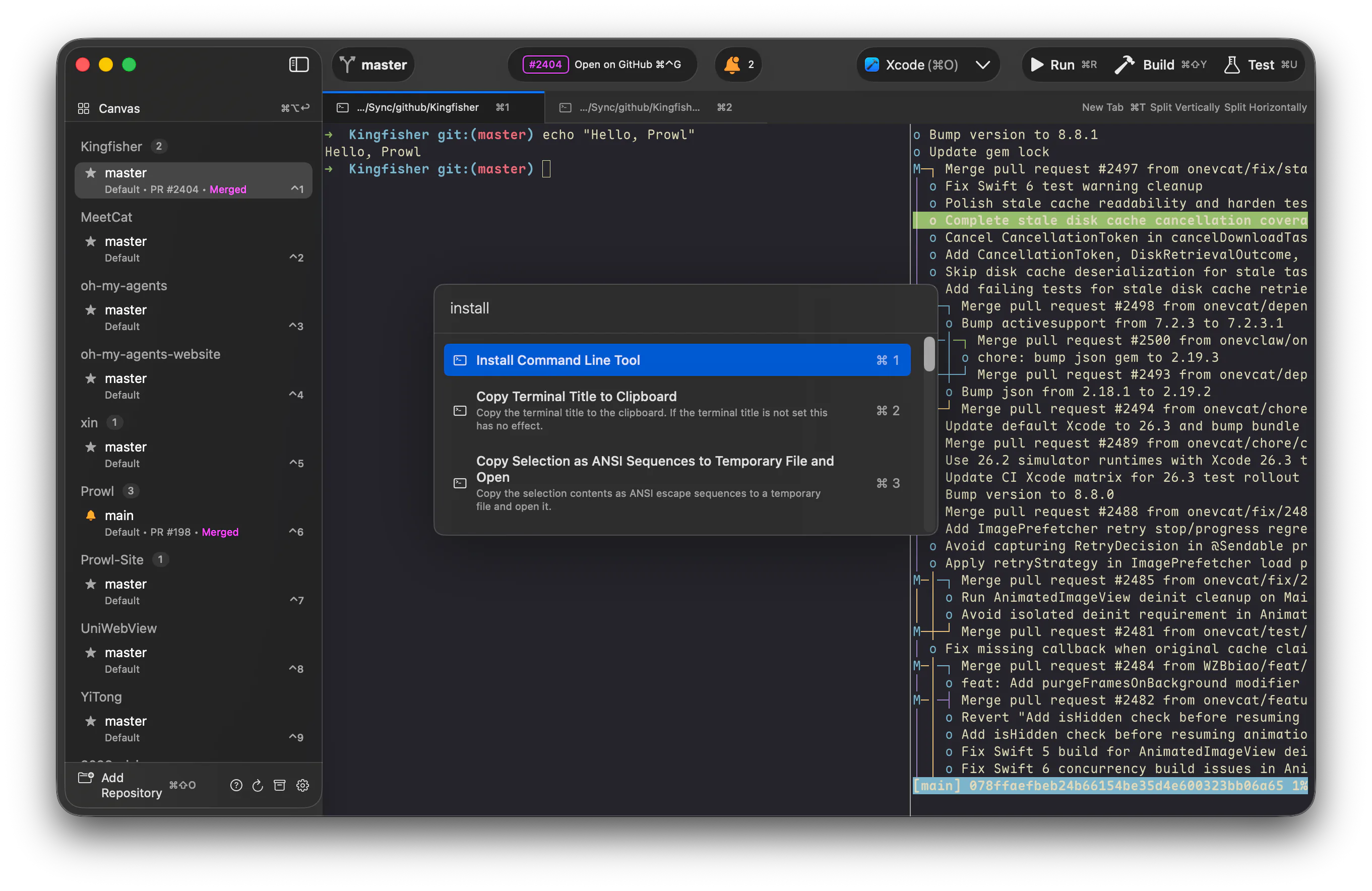
You're not just typing commands anymore — you're orchestrating Claude Code, Codex, and friends across repos, branches, and ideas. Prowl is the terminal built for that.
Highlights#
🖼 Canvas — every agent, at a glance#
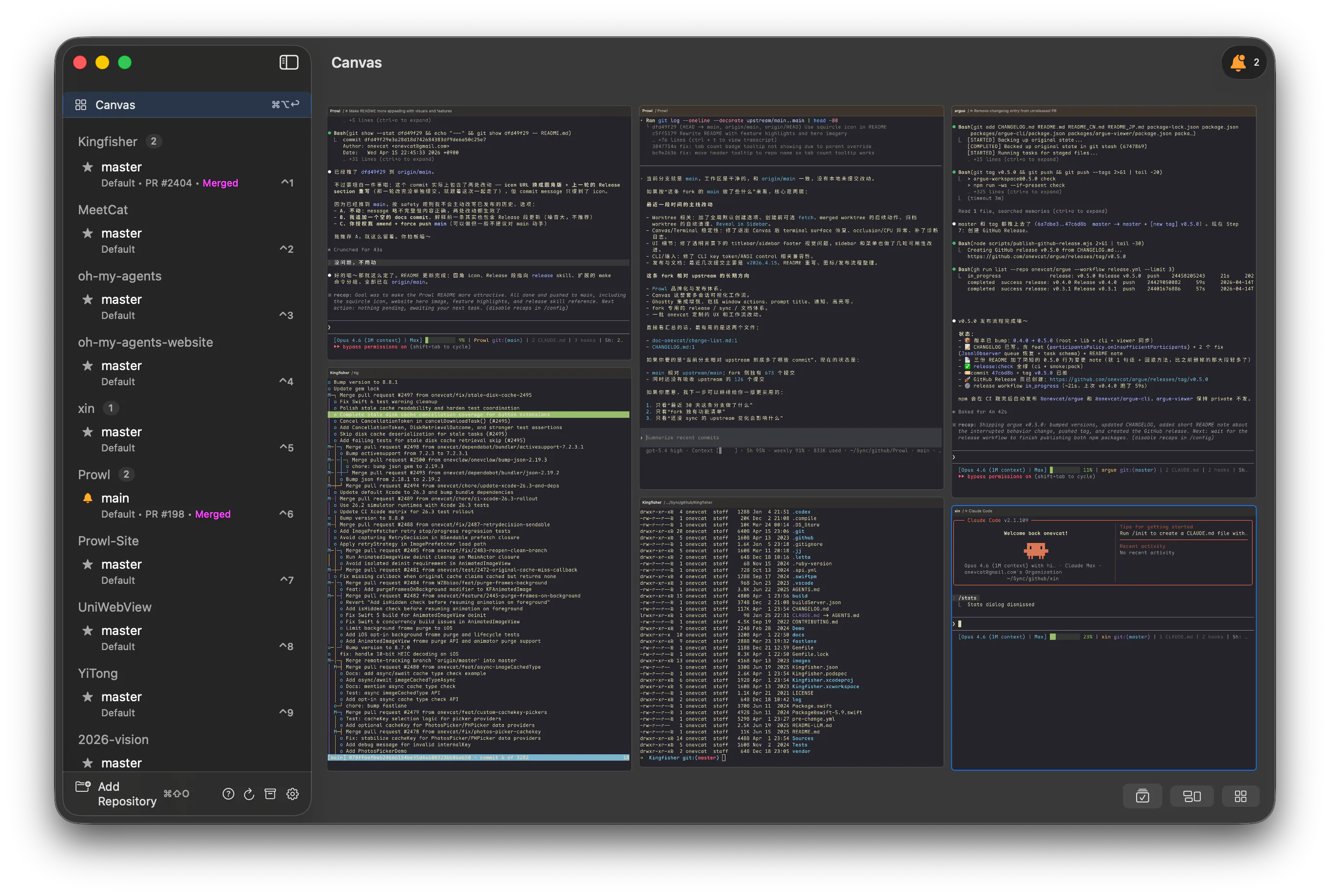
Three agents running, one just finished — where? Canvas gives you a bird's-eye view where every card is a live, interactive terminal, not a screenshot. Finished tasks light up the moment they complete, and you can broadcast a single command to every agent at once.
📚 Shelf — your worktrees, lined up like books on a shelf#
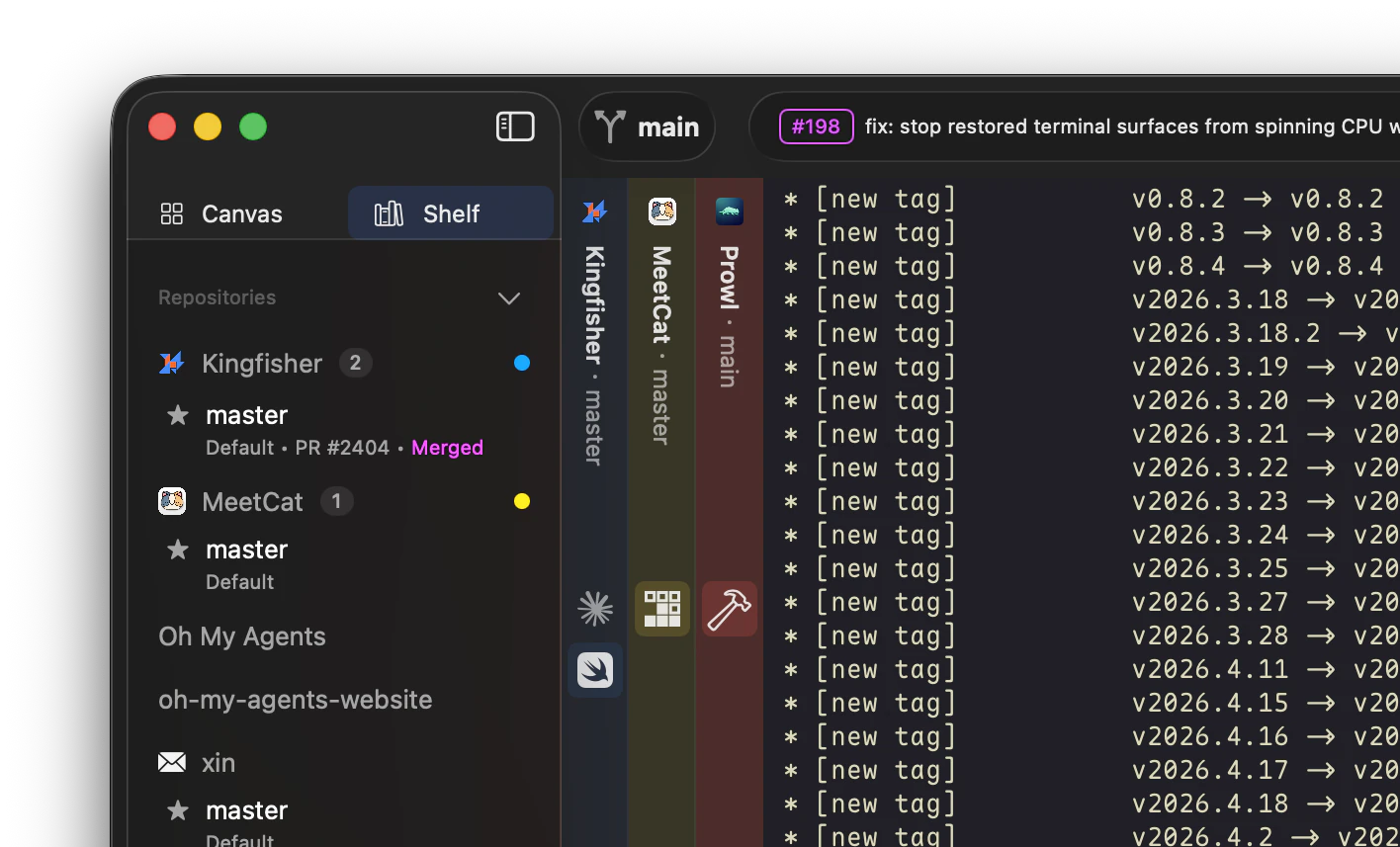
Every worktree becomes a vertical spine stacked on the side, with its tabs nested underneath. Flip through your stack from the keyboard — ⌘⌃← / ⌘⌃→ cycles books · ⌘⌃↑ / ⌘⌃↓ cycles tabs — so when you've got six agents in flight, you triage them one keystroke at a time, never losing your place.
⚡ Custom Actions — one keystroke, any workflow#
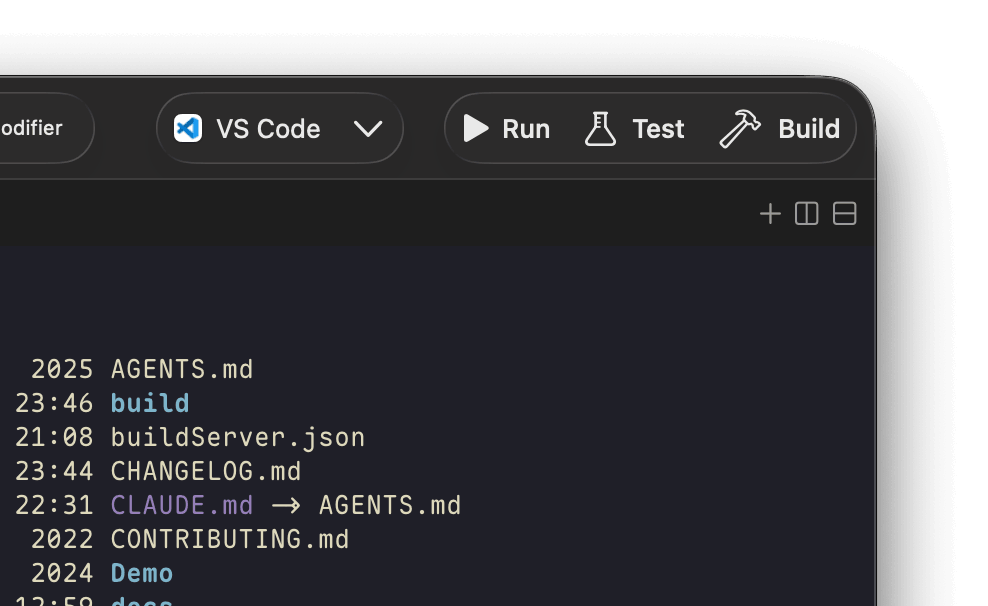
Pin swift build, npm test, or claude -p "review this diff" to a button and bind it to ⌘B. Set it up once per repo and stop typing the same thing every day. Pair with claude -p / codex exec to turn your terminal into a daily AI-powered assistant.
🤖 CLI — let your agents drive the terminal#
Your agent needs to run a test, read the output, and decide what's next. Prowl ships with a prowl CLI so both you and your agents can control the terminal programmatically:
prowl list                         # discover panes & their status
prowl send "npm test" --capture    # execute & capture output in one shot
prowl read                         # read screen content on demand
prowl key <keystroke>              # send keystrokes programmatically
And the stuff you'd expect, done right#
- Full Native — powered by libghostty. No Electron, no web views. CJK-safe out of the box.
- Vertical Tabs — repos, branches, and worktrees in a sidebar. Never lose context.
- Git Worktree first-class — spin up a parallel branch for a new agent in one click.
- Agent Reminder — macOS notification the moment an agent finishes.
- Auto-updates — Sparkle keeps you on the latest release.
Install#
Download: Prowl.dmg (notarized)
Homebrew:
brew install --cask onevcat/tap/prowl
Requirements#
macOS 26.0+
For Developers#
A personal fork of Supacode, built on The Composable Architecture and libghostty, maintained for daily use. Requires mise for dev tooling.
Build & run#
make build-ghostty-xcframework   # Build GhosttyKit from Zig source
make build-app                   # Build the macOS app (Debug)
make run-app                     # Build, launch, and stream logs
make install-dev-build           # Build Debug and install to /Applications
make install-release             # Build Release, sign locally, install to /Applications
Develop & test#
make check                 # Format changed Swift files, then run swift-format lint + SwiftLint
make format-changed        # Format changed Swift files only
make format                # Full-tree Swift format cleanup
make lint                  # SwiftLint only
make test                  # Run app/unit tests
make log-stream            # Stream app logs (subsystem: com.onevcat.prowl)
CLI#
make build-cli             # Build `prowl` CLI via SwiftPM
make test-cli-smoke        # Quick CLI smoke checks
make test-cli-integration  # End-to-end CLI socket integration tests
Ghostty sync#
make ensure-ghostty        # Fast SHA check (auto-run by build-app/test)
make sync-ghostty          # Force rebuild + clear DerivedData
Release#
Day-to-day releases are driven by the release Claude Code skill defined in .claude/skills/release/SKILL.md. It wraps two scripts you can also run directly:
./doc-onevcat/scripts/release-notes.sh <VERSION>   # Generate user-facing notes → build/release-notes.md
./doc-onevcat/scripts/release.sh <VERSION>         # Bump, build, sign, notarize, DMG, appcast, GitHub Release, Prowl-Site update
The skill walks the flow interactively: verify branch & tree state, confirm the version, review the generated notes, then run release.sh. All fork releases are notarized.